

Sanjan Sharma · Founder & Director
Sanjan Sharma is an entrepreneur and technology and digital growth professional with 8+ years of experience across digital marketing, technology, SaaS, education, BFSI, banking, B2B sales and business growth.
Every LinkedIn outreach tool demo looks the same: a sequence builder, a chart going up and to the right, and a claim about meetings booked. None of that tells you whether the thing will quietly cost you an account, a CRM or six months.
These are the four tests we run before recommending a LinkedIn outreach tool to anyone. They take about an hour and they eliminate most of the market.
1. Where does it actually run?
This is the question that matters most and the one vendors answer least clearly. A browser-based LinkedIn outreach tool acts inside your own session, from your own machine and address, so the activity looks like yours. A cloud tool logs into your account from a data centre, often in a different country from the one you work in.
Both break LinkedIn’s User Agreement, so this is not a compliance question. It is a detection question, and the answer changes your risk substantially. Consequently, if a vendor will not say plainly where the session originates, that is your answer.
2. Does it enforce limits, or just expose them?
A sales-led LinkedIn outreach tool will happily let you set two hundred connection requests a day, because the number sells the subscription. A serious one caps you, warms new accounts up over weeks, randomises timing and intervals, and pauses by itself when acceptance falls.
Ask directly what happens when you try to exceed a safe rate. If the honest answer is “nothing, it is your account”, you are buying a scheduler with no brakes. Moreover, check whether it respects LinkedIn’s weekly invitation cap rather than only its own daily setting.
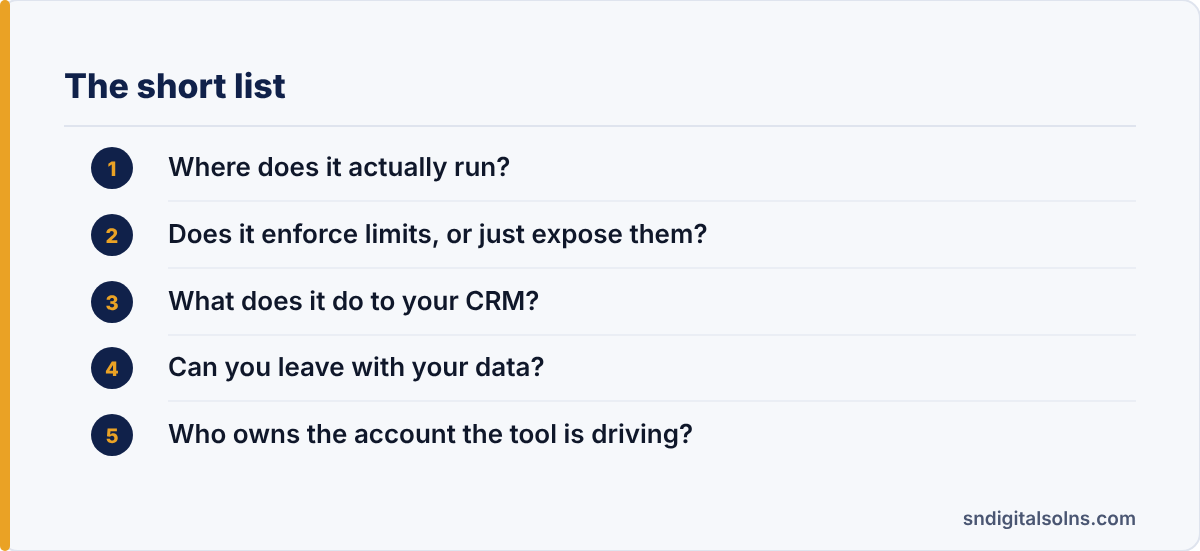
3. What does it do to your CRM?
Most damage here is not dramatic, it is accumulated. A LinkedIn outreach tool that creates a contact record for every accepted connection will, within a quarter, bury your real pipeline under thousands of people who said yes to a request and nothing else.
Therefore insist on control over what syncs and when. The sensible rule is that a record reaches the CRM on a positive reply, not on a connection, and that it arrives with the message thread attached so whoever picks it up can see what was already said.
4. Can you leave with your data?
Switching cost in this category is deliberately high. Before signing, export everything: contacts, sequences, message history, reply classifications. If the export is a partial CSV without the conversation threads, you are renting your own outreach history.
Similarly, check what happens on cancellation. Some tools stop mid-sequence, which means prospects receive a first message and never the follow-up, and you will not know which ones. In short, understand the exit before the entrance.
5. Who owns the account the tool is driving?
A LinkedIn outreach tool runs on a personal profile, and personal profiles belong to people rather than to companies. When the salesperson driving the sequence leaves, the connections, the conversation history and the credibility leave with them, and there is no administrative route to recover any of it.
Accordingly, decide early whose profiles the programme runs on and what happens at the end of their notice period. Some teams accept the risk and run outreach from founders, who are unlikely to leave. Others split it across several profiles so no single departure removes the whole channel.
What no LinkedIn outreach tool will tell you
No tool in this category can fix a weak list or a message nobody wants. The software decides how efficiently you reach people and how safely; it has no opinion on whether reaching them was a good idea. Teams that buy one hoping it will answer that question are the ones who churn within two quarters.
For comparison, the four accounts we run outbound from each report from their own dashboard, which is the level of record-keeping any tool you buy should give you.
So run the tests, pick the least reckless option, and spend the saved time on targeting. Our B2B lead generation service covers that side, and the rules for LinkedIn automation tools set out the operating limits in more detail.